How to run a music quiz with Spotify
Guides · 5 min read
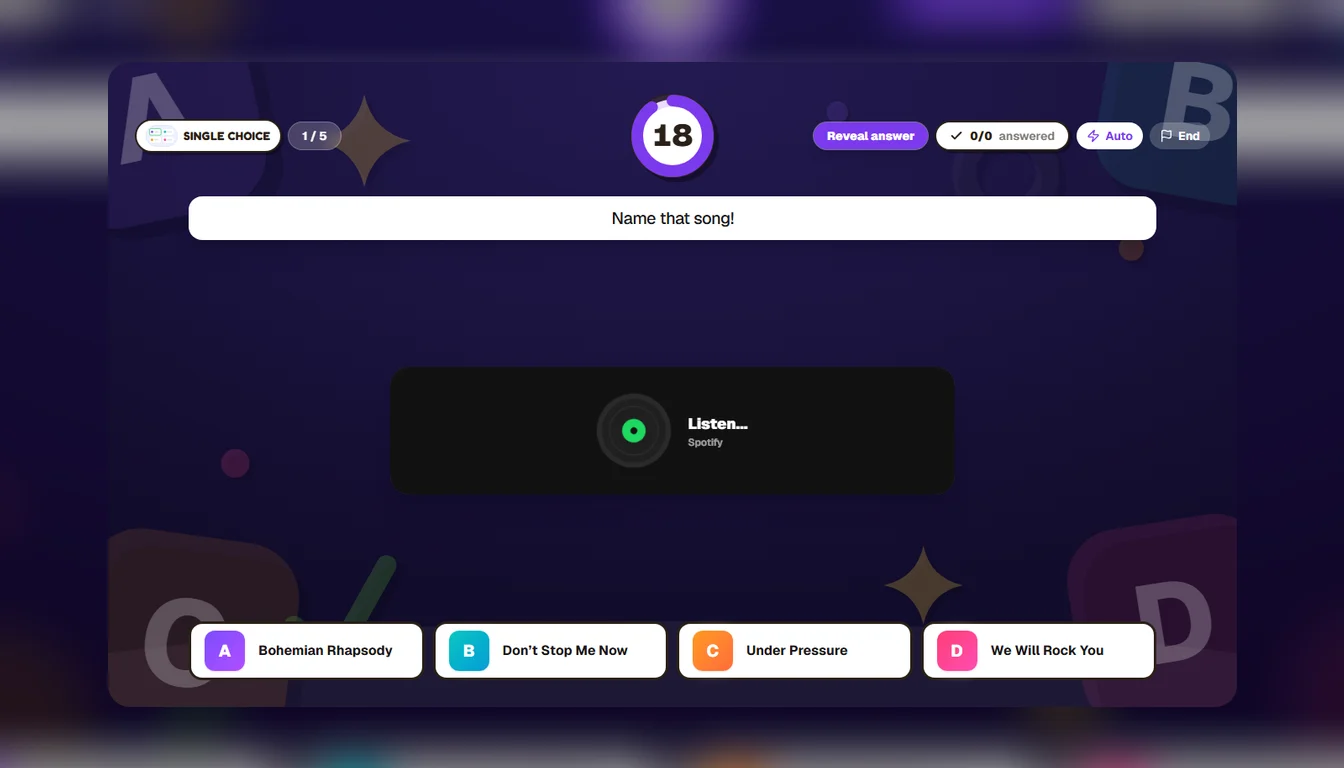
The music round is the one people remember. Three notes in, someone at the back shouts the answer, half the room groans, and the other half swears they knew it first. It is also the round that is fiddliest to run: a laptop on shuffle, a host fumbling for the next song, and the title sitting right there on the screen for anyone who looks.
In Yippito the song lives inside the question. You paste a Spotify link, the track plays on the big screen when the question opens, and everyone answers on their phone. Here is how to set it up.
What you need
A Yippito account, a screen the room can see and hear, and a link to the song on Spotify. Players need nothing but a phone — they join with a PIN, no app and no account.
Step by step
1. Make the question.Open the builder and add a question — a quiz question with four song titles is the classic, but any type works (more on that below).
2. Copy the song’s link.In Spotify, open the track’s ⋯ menu and choose Share → Copy song link. You get an address that starts with open.spotify.com/track/.
3. Paste it into the media box.Press the question’s media box, choose Spotify and paste. Yippito tells you when it recognises the link. Album, playlist and podcast links work too, but for a guessing round you want a single track.
4. Hide the track. Tick “Hide the track on the wall (name that song)”. Spotify’s player always shows the title, the artist and the cover — which is the answer. With the box ticked, the big screen shows a spinning record and “Listen…” instead, so the only clue is the music.
5. Preview it. Press Preview and listen to the question once before the night. It takes ten seconds and catches the one surprise worth catching (see the limits below).
Five music rounds that work
Name that song. A quiz question, four titles, one right. Put two songs by the same artist among the options and it stops being a gimme.
Name the artist.Use an open answer and let players type it. Add the spellings you will accept — “Beyonce” without the accent, “The Beatles” and “Beatles” — so a typo does not cost anyone the point.
Guess the year.A number question on a slider: players slide to the year they think the song came out, and the closer they land, the more they score. Perfect for the “that has to be 1986” arguments.
True or false.Play the track and ask something about it: “This song was a UK number one.” Quick, and it gives the people who do not know the title something to play for.
The buzzer. With a Buzzer question the options stay hidden: the first phone to press gets to answer, and a wrong answer passes the turn on. With a song playing, it is the closest thing to a TV music show.
The limits, honestly
Premium plays the whole song; otherwise it is a preview. The full track plays only when the browser on the big screen is signed in to Spotify Premium. Anywhere else, Spotify plays its own 30-second preview — which is usually plenty for “name that song”, but Spotify chooses which 30 seconds, and it is not always the intro.
A few tracks have no preview at all. Then, without Premium, nothing plays. That is the surprise Preview catches: if a song stays silent, pick another version of it.
The sound comes from the screen.In a room, the music plays on the host’s screen, so check the speakers before people arrive. In an online room, where everyone plays from their own place, the track plays on each phone instead.
A few tips from the hosting side
Open easy. The first song of the round should be one everybody knows, so nobody feels lost before it has started. Keep a round to eight or ten songs; past that, ears get tired. And mix the decades — a room with three generations in it is at its best when each of them gets a song they own.
Want more than the music round? The 80 pub quiz questions give you the rest of the night, and the host guide walks through running it live.
Got a playlist? That’s a music round.
Try it free